728x90

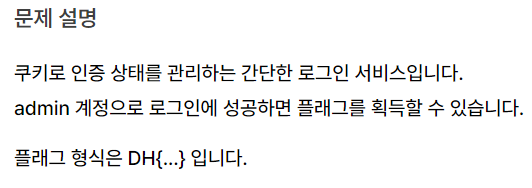
cookie 관련해서 admin 계정을 로그인 하는 것 같다
문제코드
#!/usr/bin/python3
from flask import Flask, request, render_template, make_response, redirect, url_for

app = Flask(__name__)

try:
    FLAG = open('./flag.txt', 'r').read()
except:
    FLAG = '[**FLAG**]'

users = {
    'guest': 'guest',
    'admin': FLAG
}

@app.route('/')
def index():
    username = request.cookies.get('username', None)
    if username:
        return render_template('index.html', text=f'Hello {username}, {"flag is " + FLAG if username == "admin" else "you are not admin"}')
    return render_template('index.html')

@app.route('/login', methods=['GET', 'POST'])
def login():
    if request.method == 'GET':
        return render_template('login.html')
    elif request.method == 'POST':
        username = request.form.get('username')
        password = request.form.get('password')
        try:
            pw = users[username]
        except:
            return '<script>alert("not found user");history.go(-1);</script>'
        if pw == password:
            resp = make_response(redirect(url_for('index')) )
            resp.set_cookie('username', username)
            return resp
        return '<script>alert("wrong password");history.go(-1);</script>'

app.run(host='0.0.0.0', port=8000)
문제 코드를 보면 admin의 비밀번호가 flag이고
guest의 비밀번호는 guest이다
/login 시 로그인이 성공하면 cookie값을 설정하는데
이는 set_cookie 를 보면 username으로 cookie값을 지정하는것을 볼 수 있다
그렇다면 쿠키값을 admin으로 변조한다면 admin에 로그인이 가능해 flag를 얻을 수 있다
일단 게스트로 로그인을 한 뒤에
개발자 도구 cookie 확인

username의 값인 guest를 admin으로 바꾼다면
새로고침 후
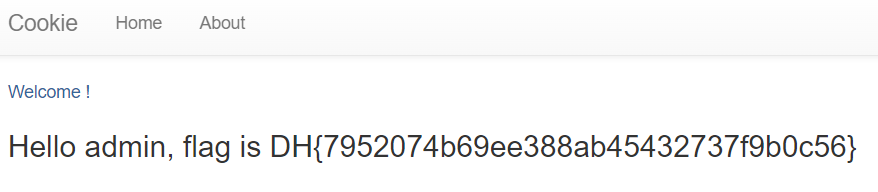
flag 획득 성공
'웹해킹' 카테고리의 다른 글
| [드림핵] csrf-1 풀이 (0) | 2024.10.08 |
|---|---|
| [드림핵] xss-2 풀이 (0) | 2024.10.08 |
| [드림핵] xss-1 풀이 (0) | 2024.10.07 |
| [드림핵] session-basic 풀이 (1) | 2024.10.07 |
| [드림핵] awesome-basics 풀이 (0) | 2024.10.07 |


